Claude
Connect Ambriel to Claude Desktop via MCP
Claude Desktop
Connect Ambriel to Claude Desktop so you can query fraud scores, screen entities, and check reputation data directly from your conversations.
Setup
Open Claude's Settings > Connectors > Add Custom Connector
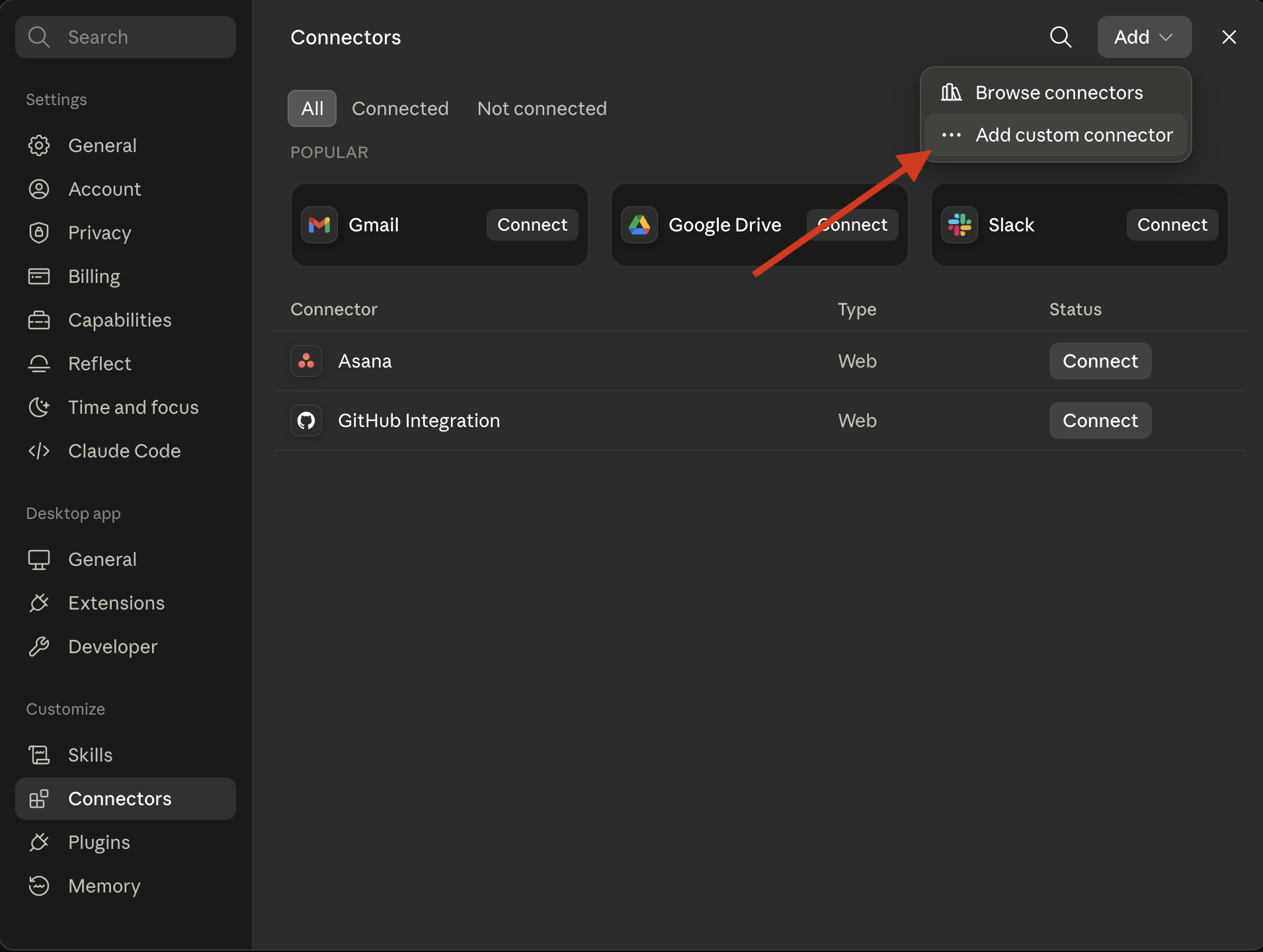
Add the Ambriel MCP server configuration using the URL format:
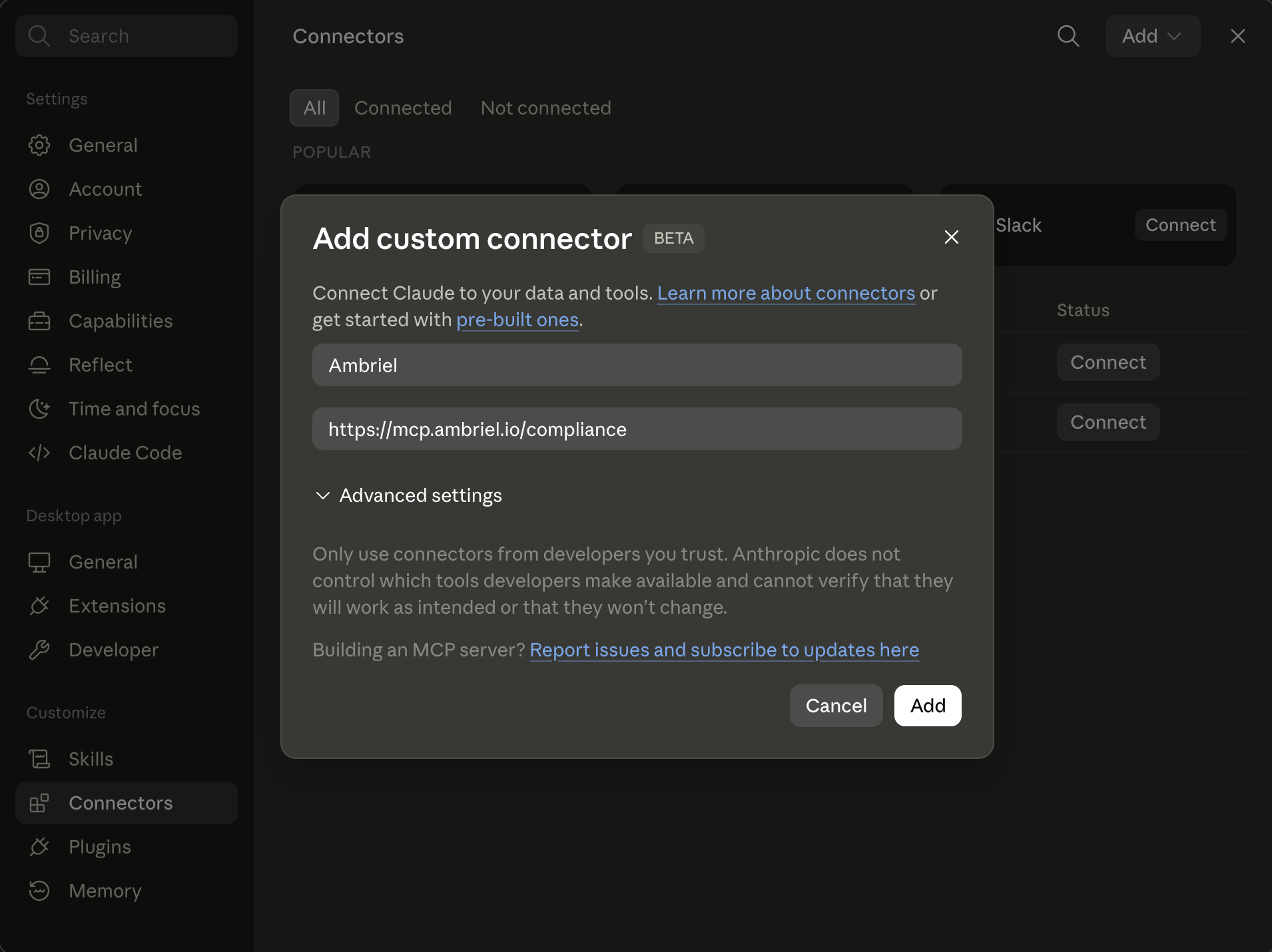
Name: Ambriel
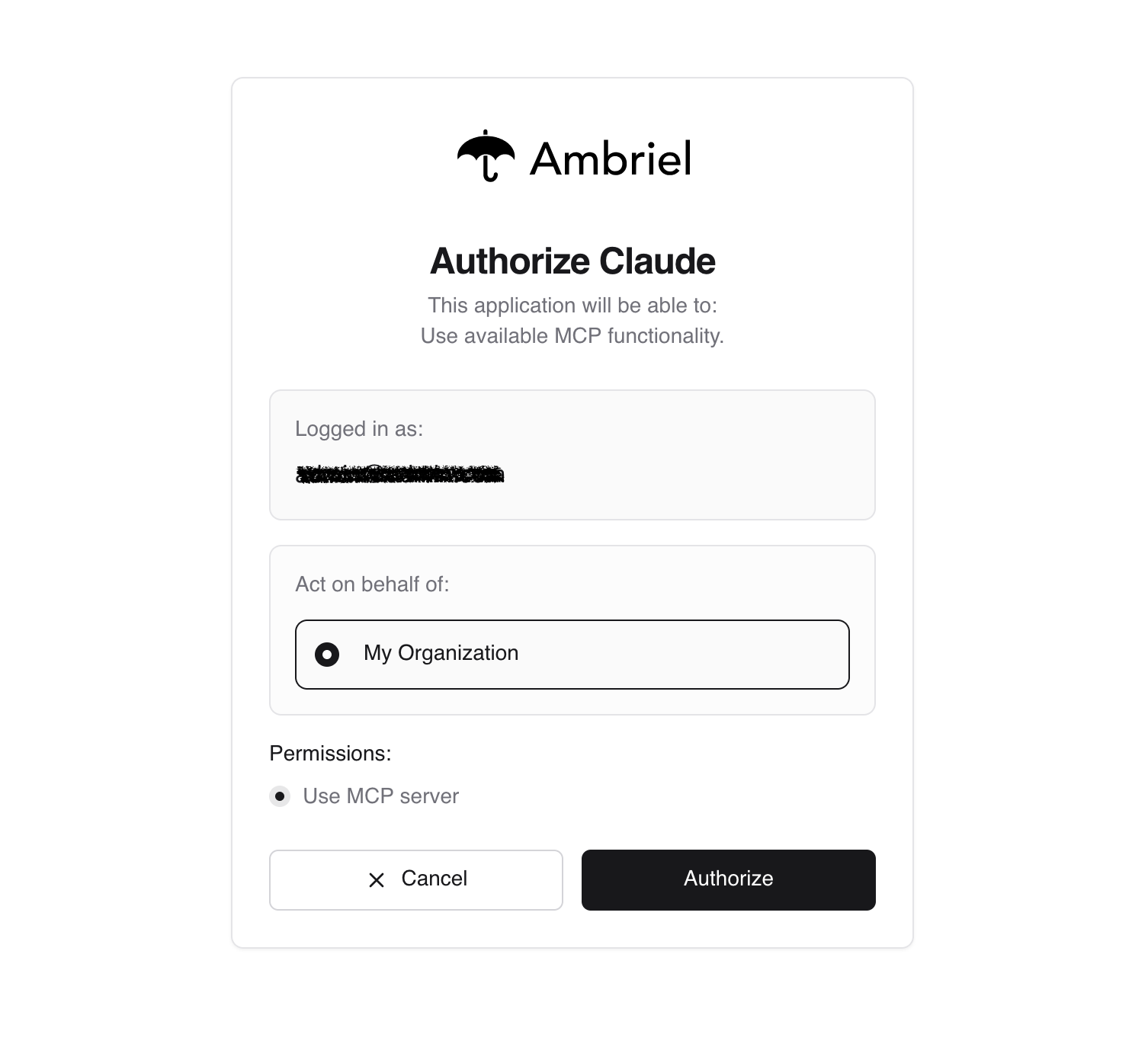
Click Connect and you will be prompt to authorization page.
Tip
If you are not logged in Ambriel, You will be redirected to login screen before auth.
You should see a hammer icon indicating MCP tools are available. Try asking Claude:
- "I need copmany assessment report for [this company]"
- "Screen [this person] with [nationality] against AML"
- "Look up [this phone number]"
- "Look up [thi email] if has any breaches"
Available Tools
Once connected, Claude can access all Ambriel endpoints including:
- Fraud scoring — Score transactions and customers
- AML screening — Screen entities against sanctions, PEP, and watchlists
- Email/Phone/IP checks — Validate and enrich contact data
- KYB evaluations — Evaluate company risk profiles
- BIN lookups — Get card details from BIN numbers
Example
Here's how it looks in action: